per node_modules folder
Every project keeps its own copy of its dependencies, even ones you haven't opened in a year.
node_modules, Xcode build data, package caches and AI models pile up quietly. Molt finds them, explains each one and removes only what you choose.
Free and open source · macOS 15 or later
Developer tools keep caches and build files in hidden folders. macOS files them under System Data, so you can't tell what's safe to remove.
Every project keeps its own copy of its dependencies, even ones you haven't opened in a year.
DerivedData and device support grow with every project you build and every iOS version you connect.
Ollama, LM Studio and Hugging Face keep every model you have downloaded until you remove it.
Molt looks only where developer tools keep their files. A scan takes a few seconds.
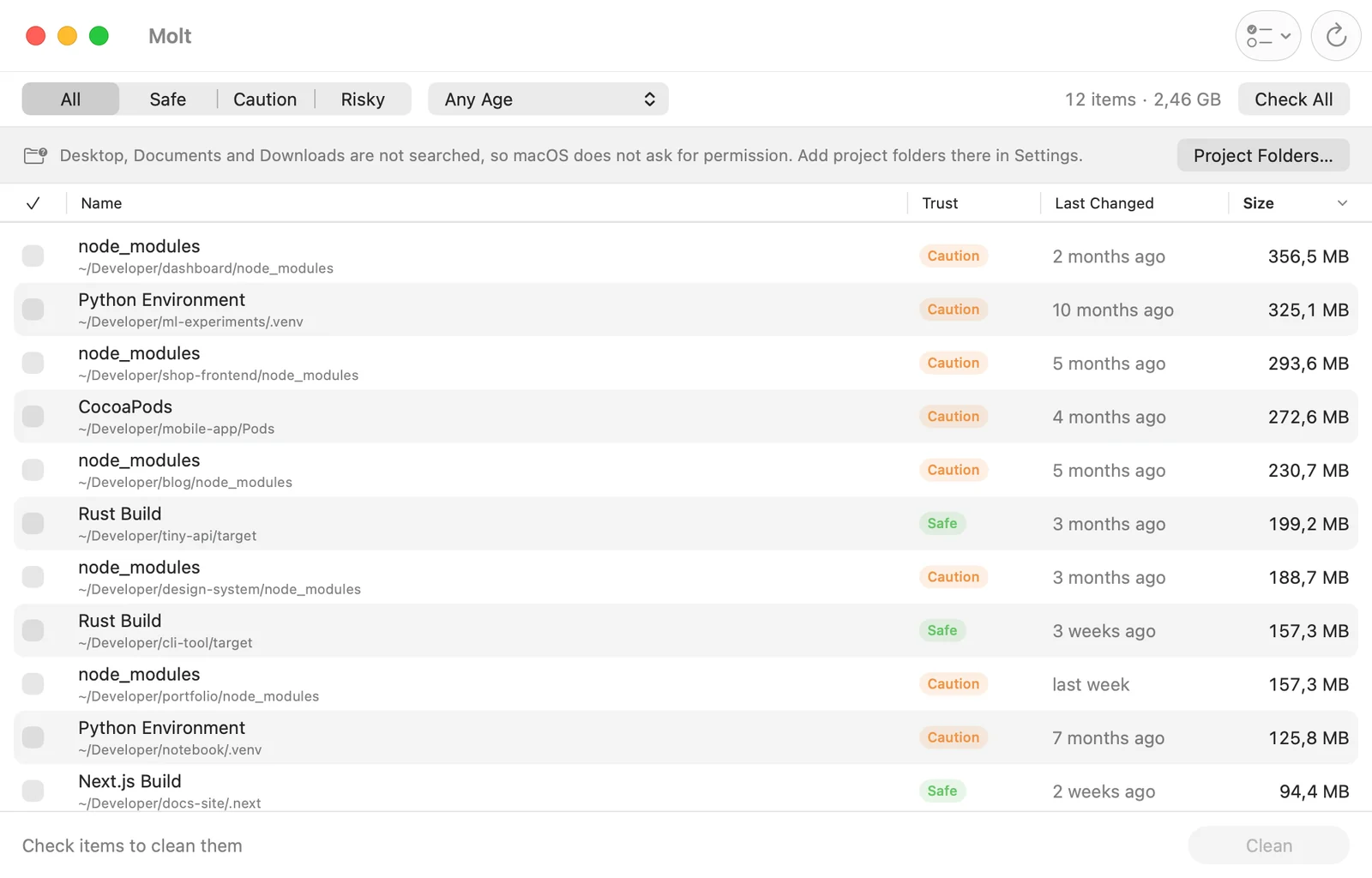
Each item shows what it is, its size, when it last changed and how to get it back.
Packages installed for a JavaScript project.
Comes back with npm install
Remove what you checked. Anything that can't be rebuilt goes to the Trash first.

More than 30 rules, each written for one kind of file. Every rule says how the file comes back.
Rebuilds with your next build. Archives go to the Trash.
Comes back with npm install, pip install or a build.
Downloads again on your next install.
Download the model again from the app that uses it.
The Simulator recreates what it needs.
Installers download again. Backups go to the Trash.
Apps recreate them as they need.
Apps write new ones. Old logs aren't needed.
Molt can only remove what its rules describe. Everything else is off limits.
Removed for good. Your next build or launch recreates it.
Removed for good. Reinstalling takes a moment and a connection.
Moved to the Trash, so you can still change your mind.
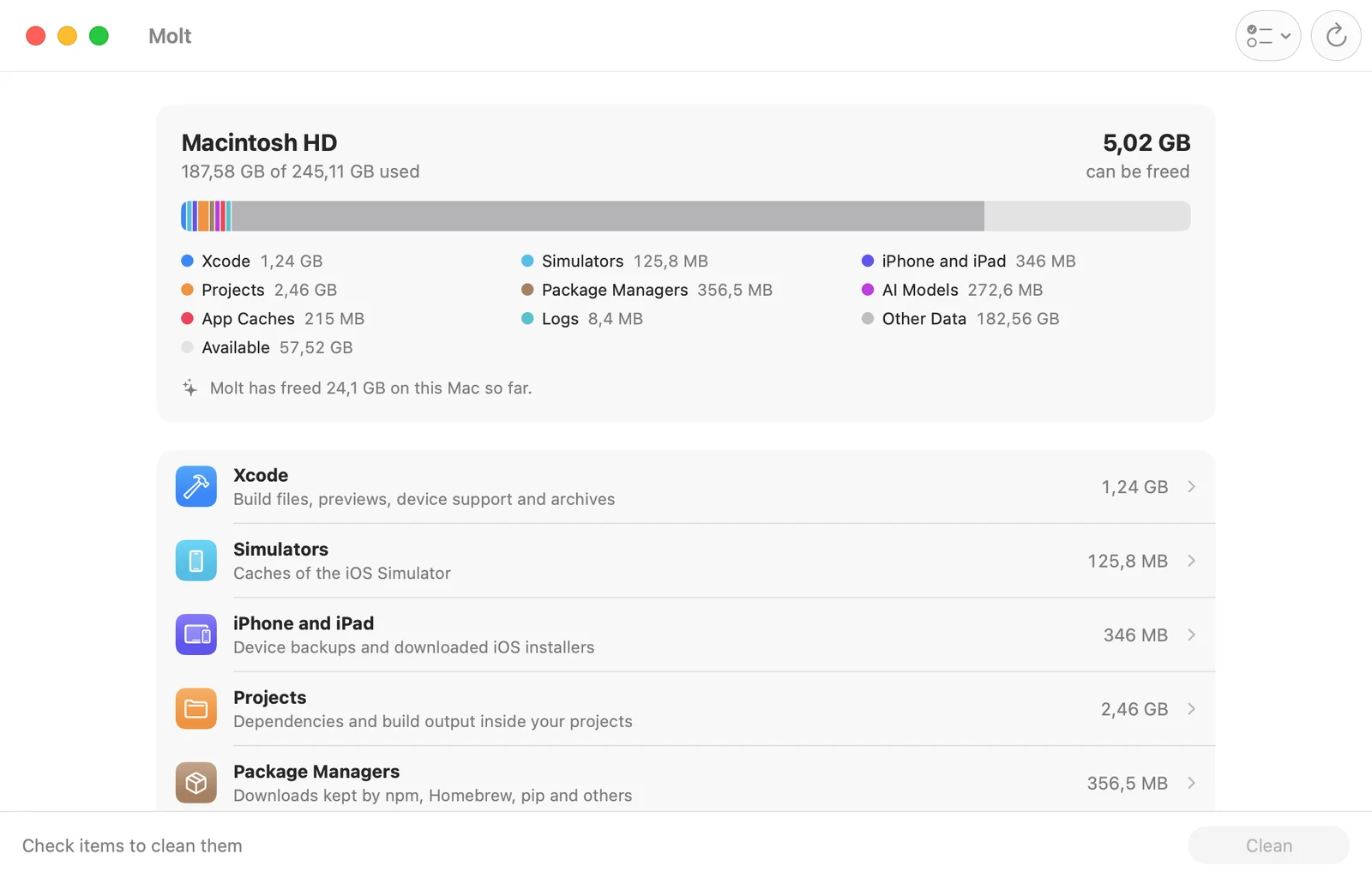
The overview splits your storage by category, like System Settings. Open any category to sort, filter and clean.
Molt never connects to the internet. The list of your files stays on your Mac.
Every rule is Swift code you can read on GitHub, licensed under the GPL-3.0.
Read the rulesEvery rule, including the ones that need developer tools.
Download MoltInstalls and updates through the App Store, and your purchase funds development. The sandbox limits it to fewer folders.
Coming soonYes. It's rebuilt from package.json the next time you run npm install, pnpm install, yarn or bun install. Molt marks it Caution because reinstalling takes a moment and needs a connection.
macOS asks for permission before an app reads Desktop, Documents or Downloads. Molt skips them unless you add a project folder there in Settings, so you never see a surprise prompt.
It runs in Apple's sandbox, which hides most other apps' caches and doesn't allow developer tools to run. The direct download has every rule.
No. Molt has no analytics and makes no network requests. Your cleanup history stays on your Mac.